For the FlyByWire A32NX in Microsoft Flight Simulator
Every switch within reach.
CockpitReach puts the overhead, glareshield and pedestal of the A32NX on your tablet. Tap a switch on the tablet and it moves in the sim. Change something in the sim and the tablet follows.
Runs in the tablet's browser. Designed and tested on iPad.
Nothing to install on the tablet
The panels open in the browser. Scan a QR code once and add the page to your Home Screen.
Lights that follow the aircraft
Annunciators, displays and switch positions come from the sim, so the tablet always shows the real state.
Try it before you buy
Every install includes 60 minutes of full use. No account and no card.
The panels
Built panel by panel from the real flight deck
These are screenshots of the tablet pages, not mock-ups. Knobs turn by dragging, and push and pull by tap and hold.
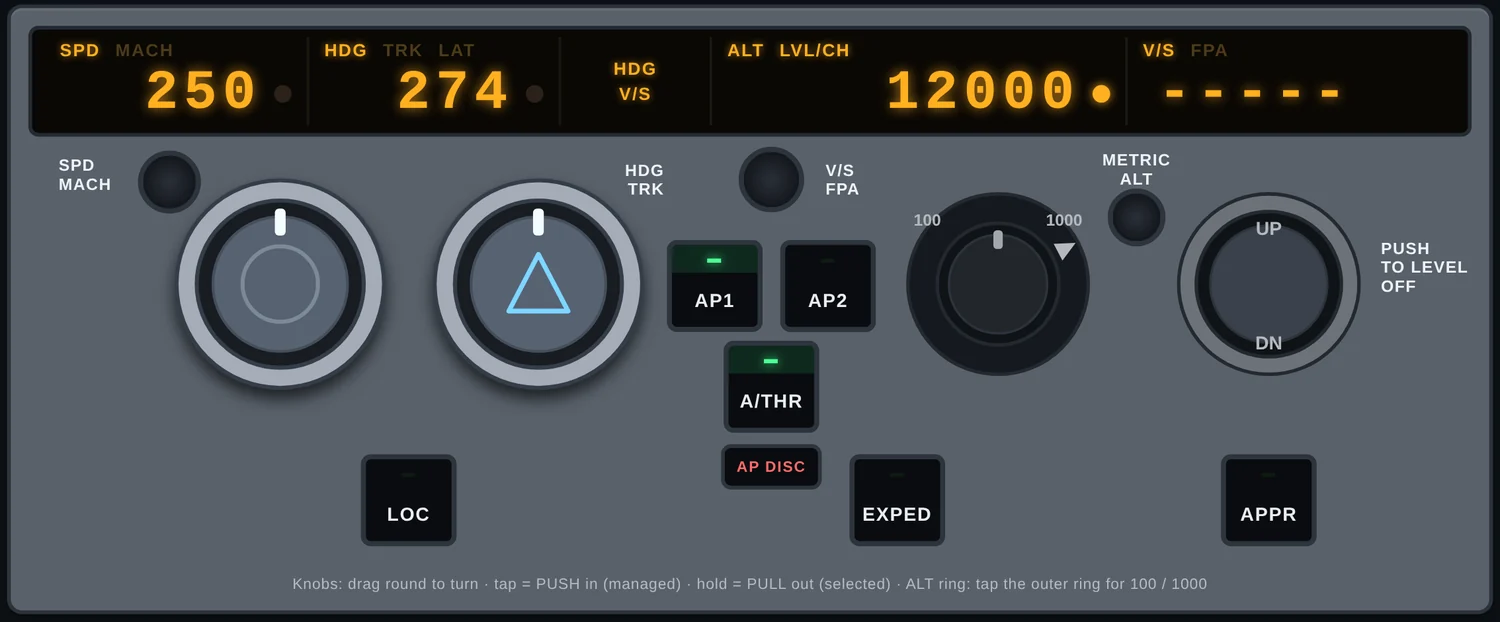
Glareshield: FCU and EFIS
Set speed, heading, altitude and vertical speed. Push for managed, pull for selected. Baro, flight director, ND mode and range sit underneath.
- AP1 / AP2
- A/THR
- LOC
- APPR
- EXPED
- QNH / STD
- ND MODE
- ND RANGE
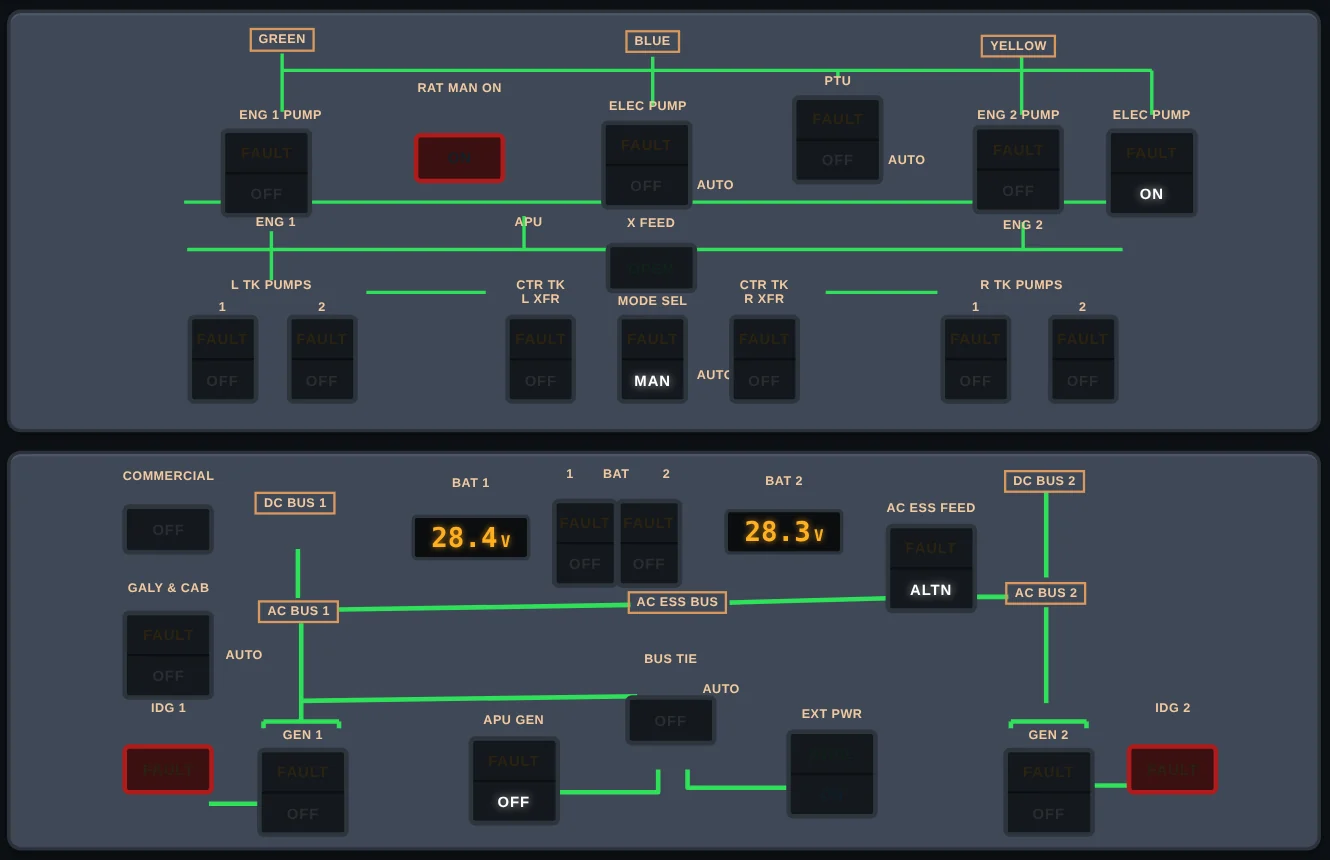
Overhead
The full overhead, grouped the way it is above your head, with battery voltages, flow lines and FAULT and OFF legends that light when the aircraft says so.
- ELEC
- HYD
- FUEL
- AIR COND
- FIRE
- ADIRS
- ANTI ICE
- EXT LT
- APU
- GPWS
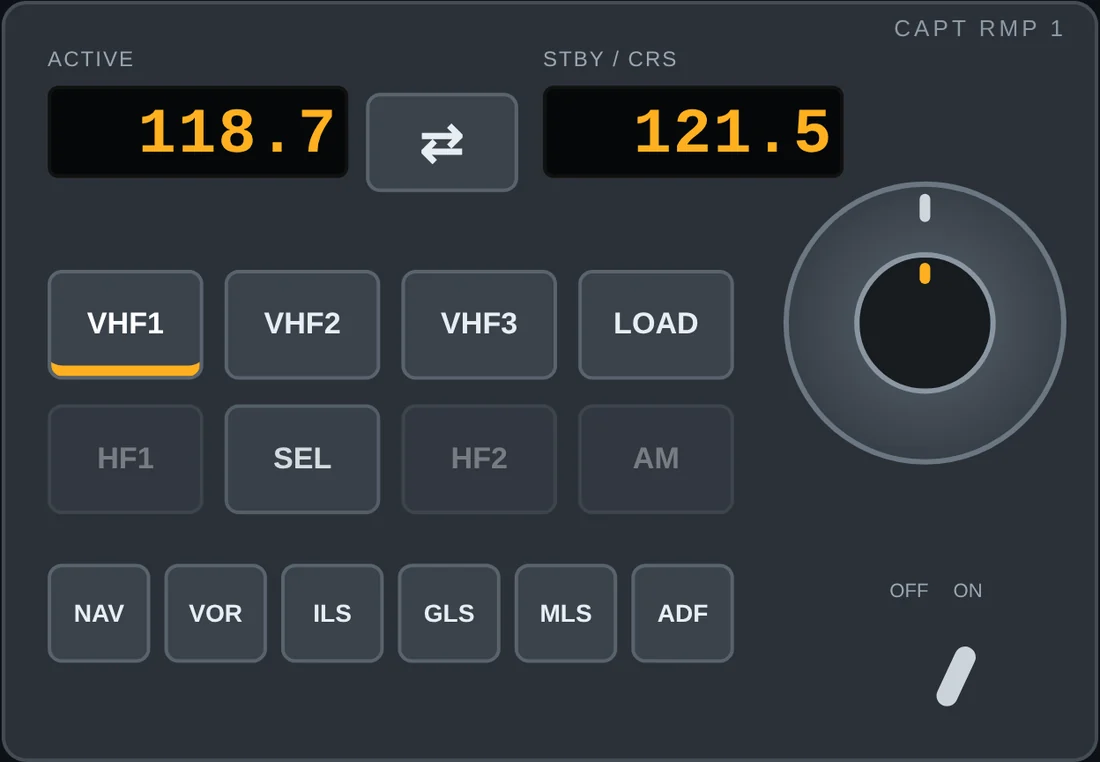
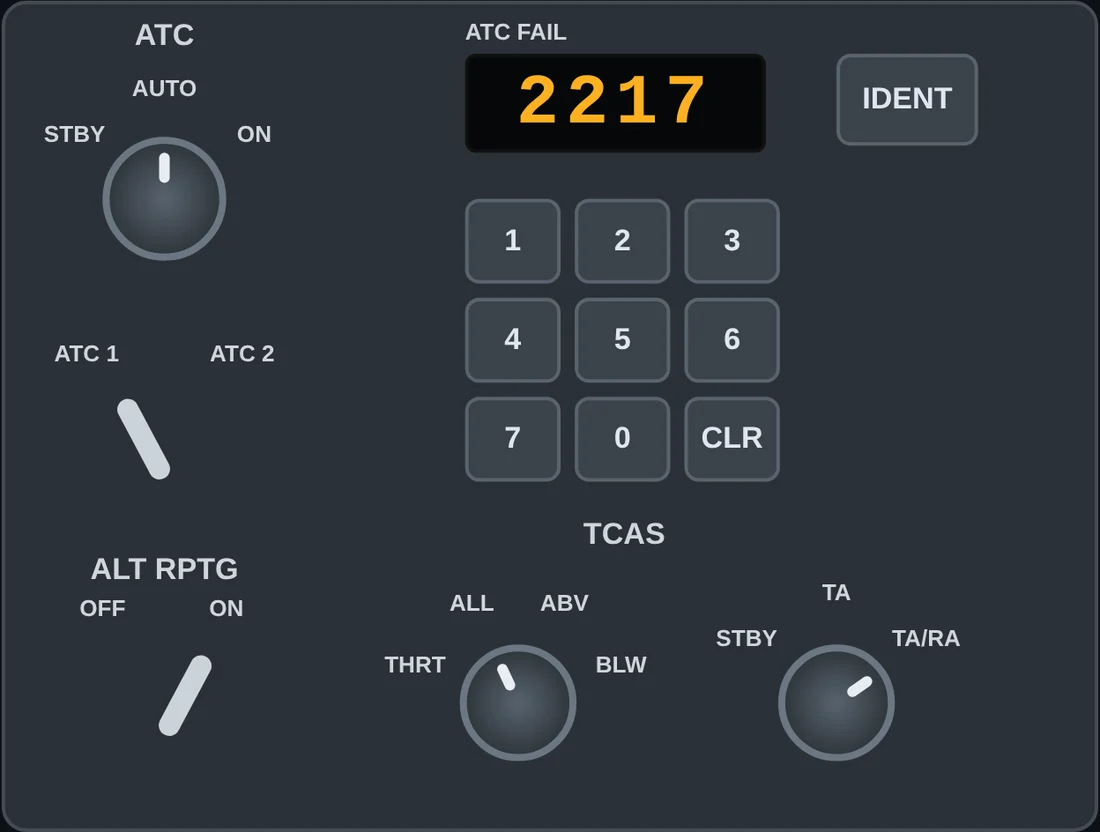
Pedestal: radios, ATC and TCAS
Tune and swap VHF frequencies on both radio management panels. Key in a squawk code, press IDENT and set the TCAS mode without leaving the outside view.
- RMP 1 / RMP 2
- ACP CALL
- ATC / TCAS
- WX RADAR
- FLOOD / INTEG LT
And the rest of the flight
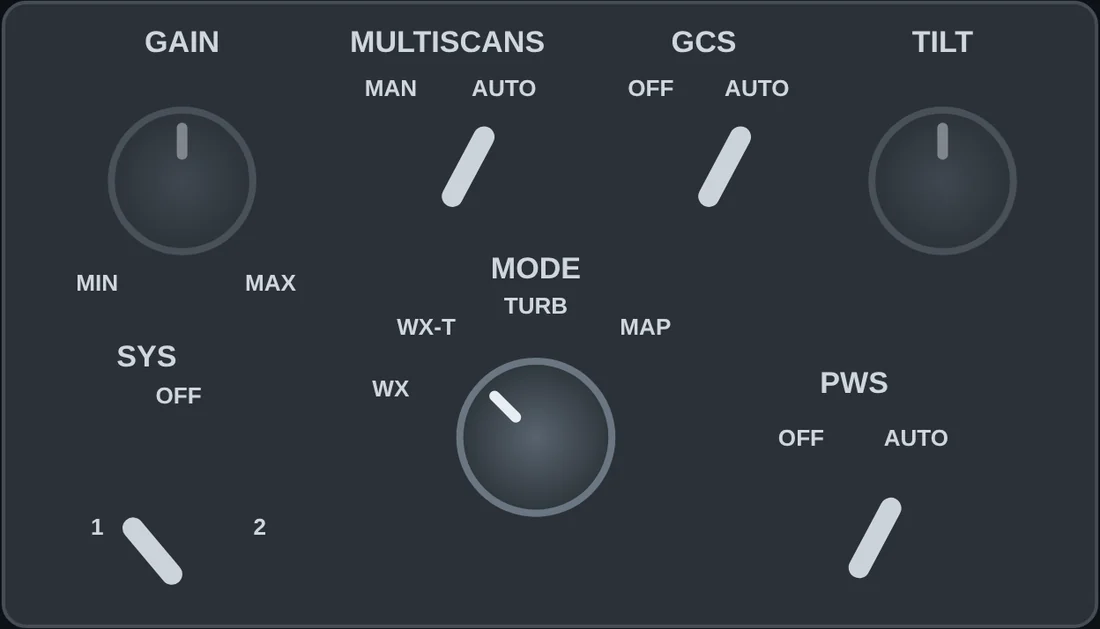
Weather radar, pedestal lighting, the landing gear lever and the captain's MCDU, which is shown through FlyByWire SimBridge.
- MCDU
- GEAR
- WX RADAR
- PWS
How it works
Three steps from download to first flight
Install on your PC
One installer on the PC that runs the sim. CockpitReach sits in the system tray next to the clock.
Scan the QR code
The setup page shows a code. Point the tablet's camera at it, and the tablet is paired with your PC on your home network.
Fly
Load the A32NX. Tap a switch on the tablet and watch it move in the cockpit.
What you need
Before start checklist
CockpitReach talks to the FlyByWire A32NX, so the aircraft and its free add-ons need to be installed first. The setup page checks the sim link for you.
The tablet and the PC must be on the same home network. Nothing leaves your network except a small licence check.
BEFORE START
Beta
The beta opens soon
We are looking for A32NX pilots to fly with CockpitReach and tell us what works and what does not. Email us and we will send a beta key when a place opens.
support@glareshieldlabs.com- Free trial60 minutes of full use
- One licencecovers 2 PCs
- AircraftFlyByWire A32NX
- Priceto be announced
Questions
Before you ask
Do I need to install an app on my tablet?
No. The panels are a web page served by your own PC. You scan a QR code, the page opens in the browser, and you can add it to your Home Screen so it opens full screen.
Which aircraft does it work with?
The FlyByWire A32NX in Microsoft Flight Simulator 2024. More aircraft may follow, and beta feedback will decide which.
Does it need the internet?
The panels work over your home network. The PC checks the licence online from time to time, so it needs an internet connection at least once every two weeks.
Can I use it on more than one PC?
One licence covers two PCs. You can move a licence off a PC yourself from the setup page.
Is this made by FlyByWire or Microsoft?
No. CockpitReach is an independent product by Glareshield Labs. It works alongside the FlyByWire A32NX and is not affiliated with or endorsed by FlyByWire Simulations, Microsoft, Airbus or MobiFlight.